
Agents
Agents
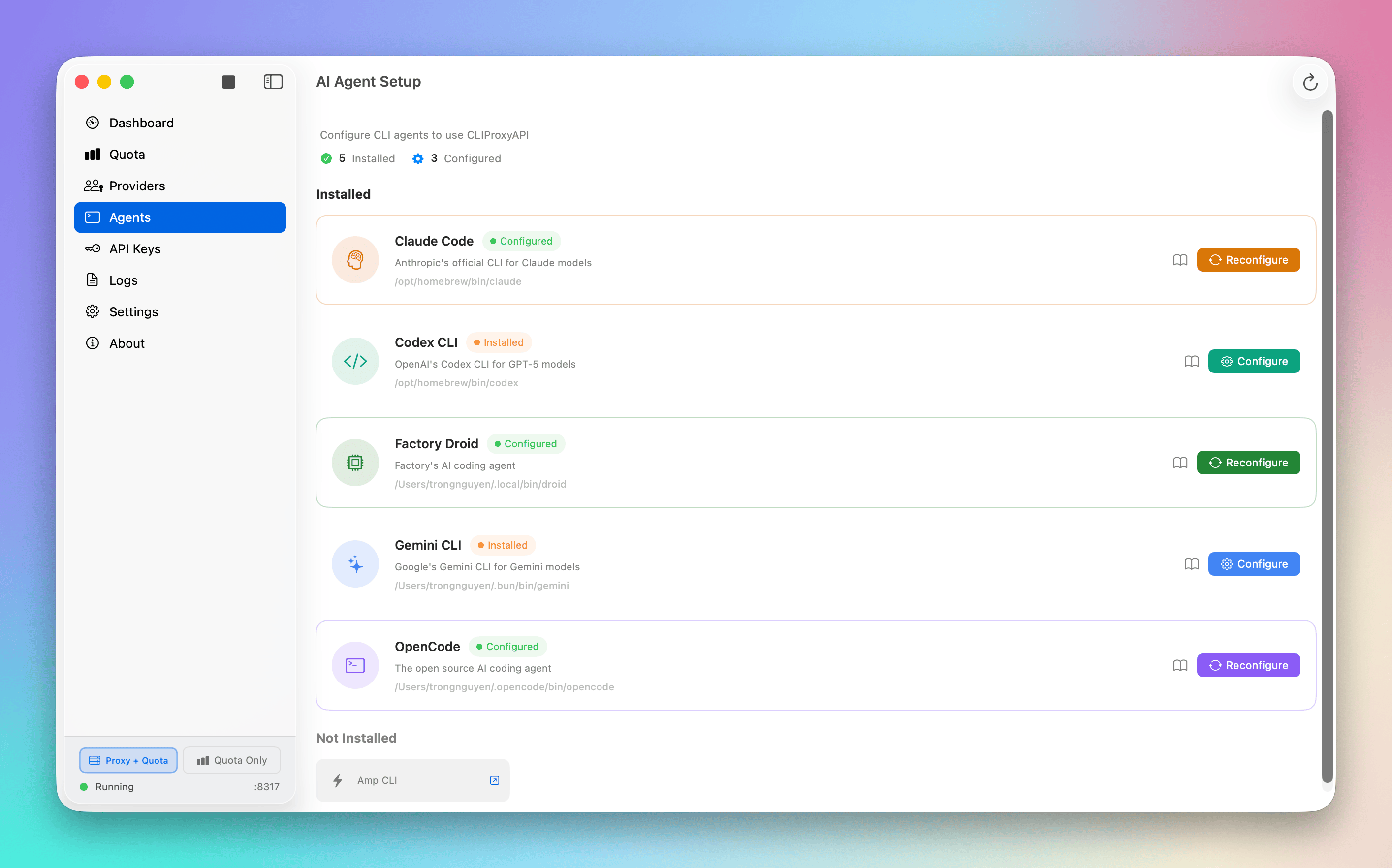
Agents in Quotio refer to CLI tools that integrate with AI providers. These are the command-line applications you use for AI-powered coding tasks.
What is a CLI agent?
In Quotio, an agent is a configured CLI tool that can route requests through Quotio's proxy. Examples include:
- Claude Code (
claudecommand) - OpenCode (
opencodecommand) - Amp CLI (
ampcommand) - Other AI-powered CLI tools
Each agent has:
- Tool name and version detection
- Configuration status (installed/not installed)
- Integration settings
Why agents exist
CLI tools are powerful but often lack built-in quota management or failover capabilities.
Without Quotio:
- CLI tools fail when API quota is exhausted
- You manually switch API keys between tools
- No centralized quota tracking across tools
With agents in Quotio:
- CLI tools route through Quotio's proxy automatically
- Failover happens transparently
- Quota is tracked across all your CLI usage
Agent lifecycle
An agent goes through these states:
- Detected – Quotio finds the tool is installed on your system
- Not Configured – Tool exists but not set up for Quotio
- Configured – Tool is configured to use Quotio's proxy
- In Use – Tool is actively routing requests through Quotio
Supported Tools & IDEs
Quotio supports both CLI tools and IDEs with AI capabilities:
CLI Agents
- Claude Code: Anthropic's official CLI
- OpenCode: Open source AI coding agent
- Amp CLI: Sourcegraph's coding assistant
- Codex CLI: OpenAI's GPT-5 models
- Gemini CLI: Google's Gemini models
- Factory Droid: GitHub's AI coding agent
Manual Configuration (Coming Soon)
For IDEs and editors not yet auto-detected:
- Cursor: Manual proxy configuration
- Windsurf: Manual proxy configuration
- Trae: Manual proxy configuration
- VS Code extensions: Environment variable setup
Support for additional CLI tools is added regularly.
Custom agents
You can manually configure any CLI tool that supports proxy settings or environment variables.
See Advanced / Custom Agents for setup instructions.
Common questions
Can I configure multiple CLI tools?
Yes. Each CLI tool can be configured independently to route through Quotio.
What happens if a CLI tool isn't supported?
You can often configure it manually using environment variables or proxy settings.
Next steps
To continue learning:
- Learn how Quotas are tracked
- Understand Failover mechanisms
Continue with:
→ Core Concepts / Quotas